A fixture announcement graphic tells fans who you’re playing, when, where and in which competition. Most clubs need two kinds: a release-day post when the league publishes the fixture list, and a next-match graphic before every game. The weekly one is where nearly all of the season’s work sits, and SportGraphics is the fastest way to make it: on-brand, animated, and ready for feed and stories.
Fixture release day: how to announce your season fixtures
Leagues publish fixtures ahead of the season, and for fans it’s one of the most anticipated posts of the year: the opening game, the first home match, the derby, the away trip everyone wants to make. Whether you call it a fixture list or, like many US soccer programs, a schedule graphic, treat it as an event rather than a notice:
- Tease it. The day before, post a story saying the fixtures drop tomorrow at a set time. It gives fans a reason to come back.
- Check before you post. Compare your graphics against the league’s published list, line by line. One wrong date on a pinned post causes a season of confusion.
- Release it. Post at the time you promised, and call out the headline games in the caption: opening day, the first home game, derbies and cup ties.
- Pin it. Pin the post to the top of your profile on Instagram, X and Facebook so new followers find it all season.
- Save it to a highlight. A “Fixtures” story highlight on Instagram is where fans look when they want the date of a game months away.
Add “subject to change” to the caption. Fixtures move, and it saves you a lot of replies when they do.
Fixture release graphics: formats for the full list
A full season can run to dozens of games, and a single image listing all of them is hard to read on a phone. Pick the format that fits how many fixtures you have:
| Format | Best for | How to make it |
|---|---|---|
| Carousel of match graphics | The opening run of games, one slide per match | A fixture graphic per match (SportGraphics’ Next Up is built for this) |
| Monthly graphics | Long seasons, released a month at a time | A list layout in a general design tool like Canva |
| One full-season list | Short seasons, or a pinned reference post | A one-off in Canva, split into two halves if it gets crowded |
| Story highlight | Keeping fixtures findable all season | Save the release post, then each weekly fixture graphic |
To be clear about where each tool fits: SportGraphics makes the per-match fixture graphic, not a single image with the whole season on it. For the full list, a general tool like Canva is the right call, and our guide to making football graphics in Canva walks through it. The strongest release-day post is often both: your first few fixtures as proper match graphics in a carousel, with the full list as the last slide. Keep every slide at 1080×1080 so nothing gets cropped.
What every upcoming fixtures graphic needs
- The opponent: their full name, spelled the way they spell it.
- The date: with the day of the week, because “Saturday” is the word fans plan around.
- Kickoff time: large enough to read at thumbnail size.
- Venue and home or away: the ground name, plus a clear HOME or AWAY so nobody turns up at the wrong ground.
- Competition: league, cup or friendly. A cup tie deserves to look like one.
- Both crests: yours and the opponent’s. A crest-v-crest matchup reads instantly, even in a crowded feed.
- Entry or ticket info, if relevant: price, free entry, or where to buy. Usually best in the caption, with a short line on the graphic for big games.
Leave out anything that doesn’t help a fan get to the game. Directions, parking and when the clubhouse bar opens belong in the caption or a story.
Football fixture graphic templates
These three SportGraphics matchday designs cover most fixture posts. Each fills itself with your colours, crest and fonts, and the previews below show a demo club:
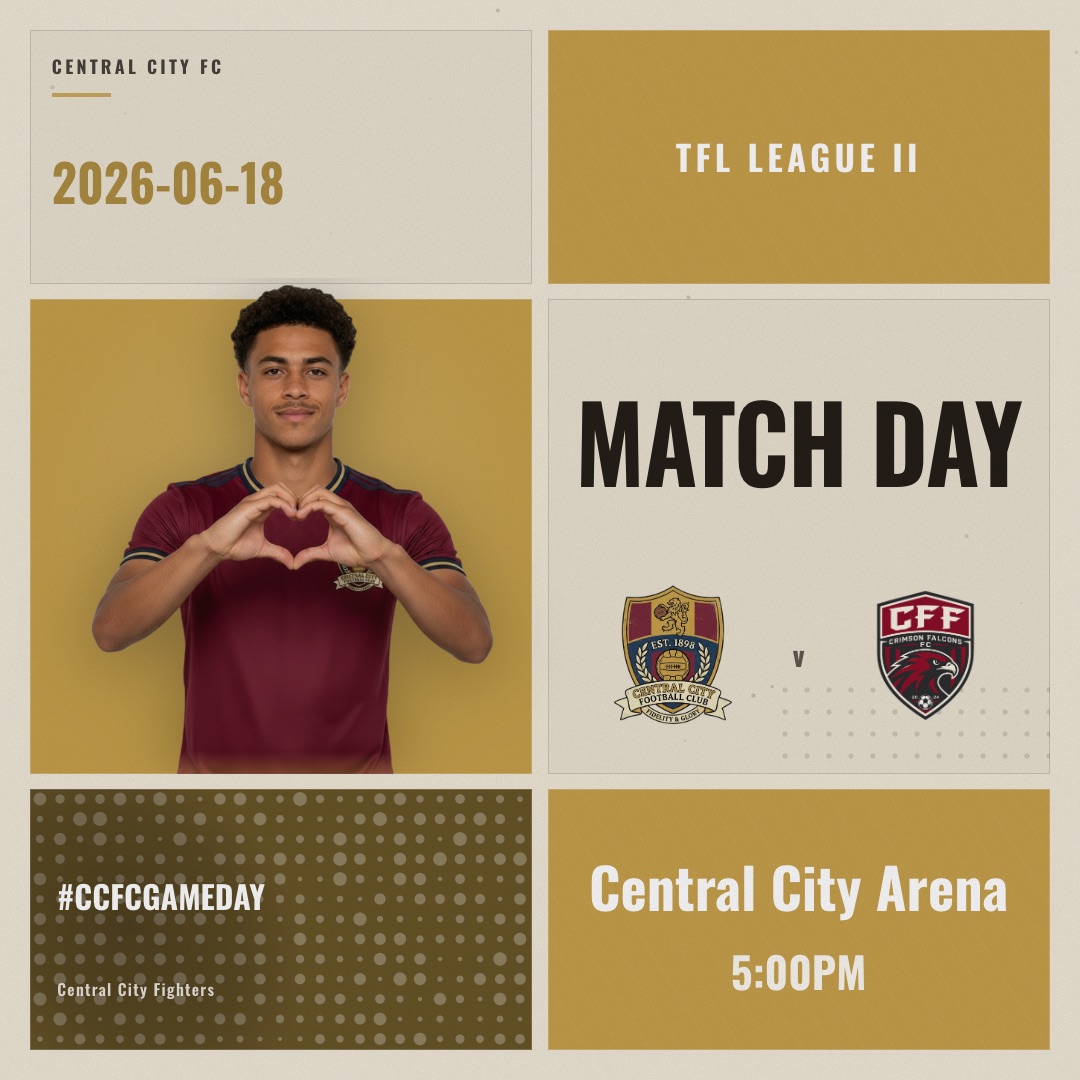
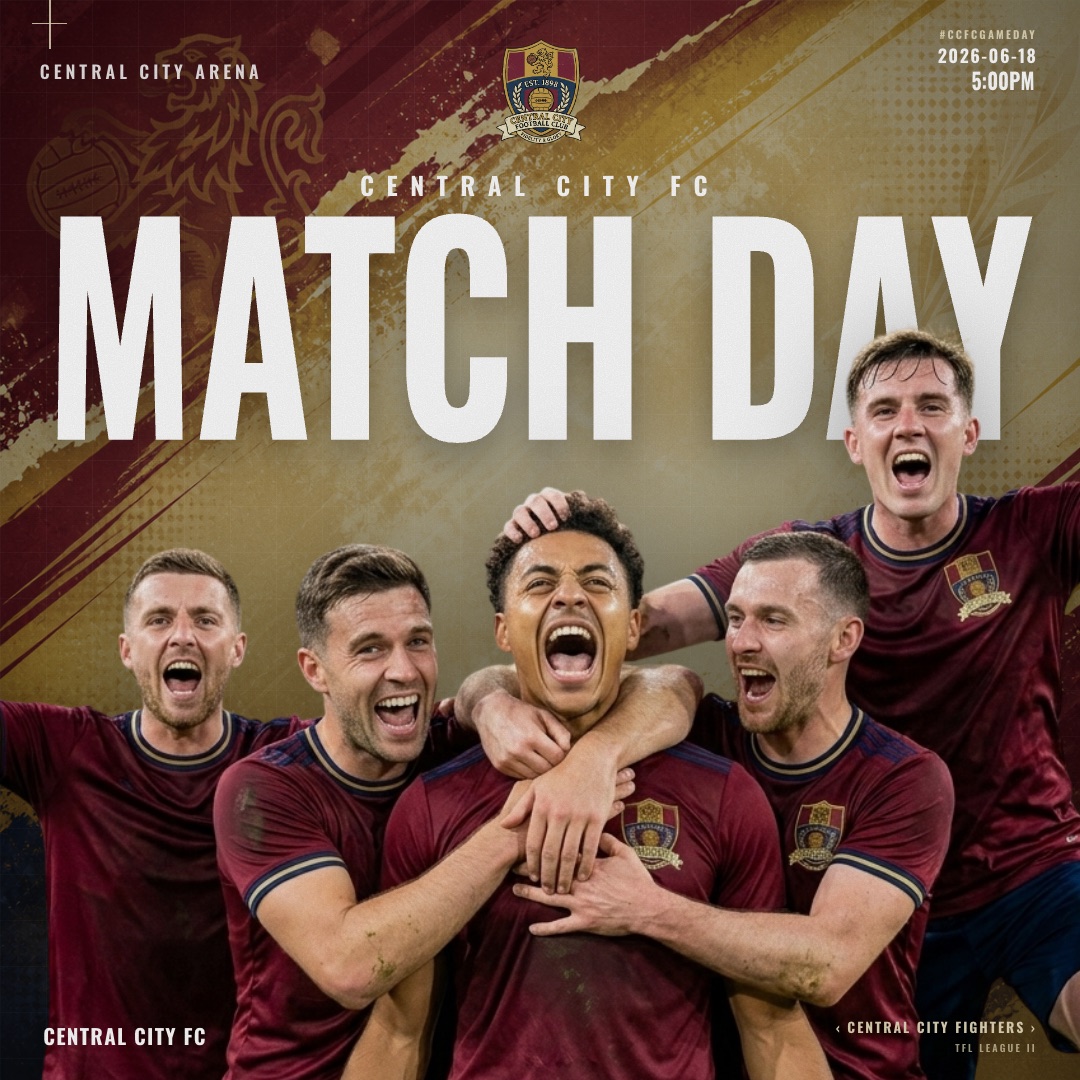
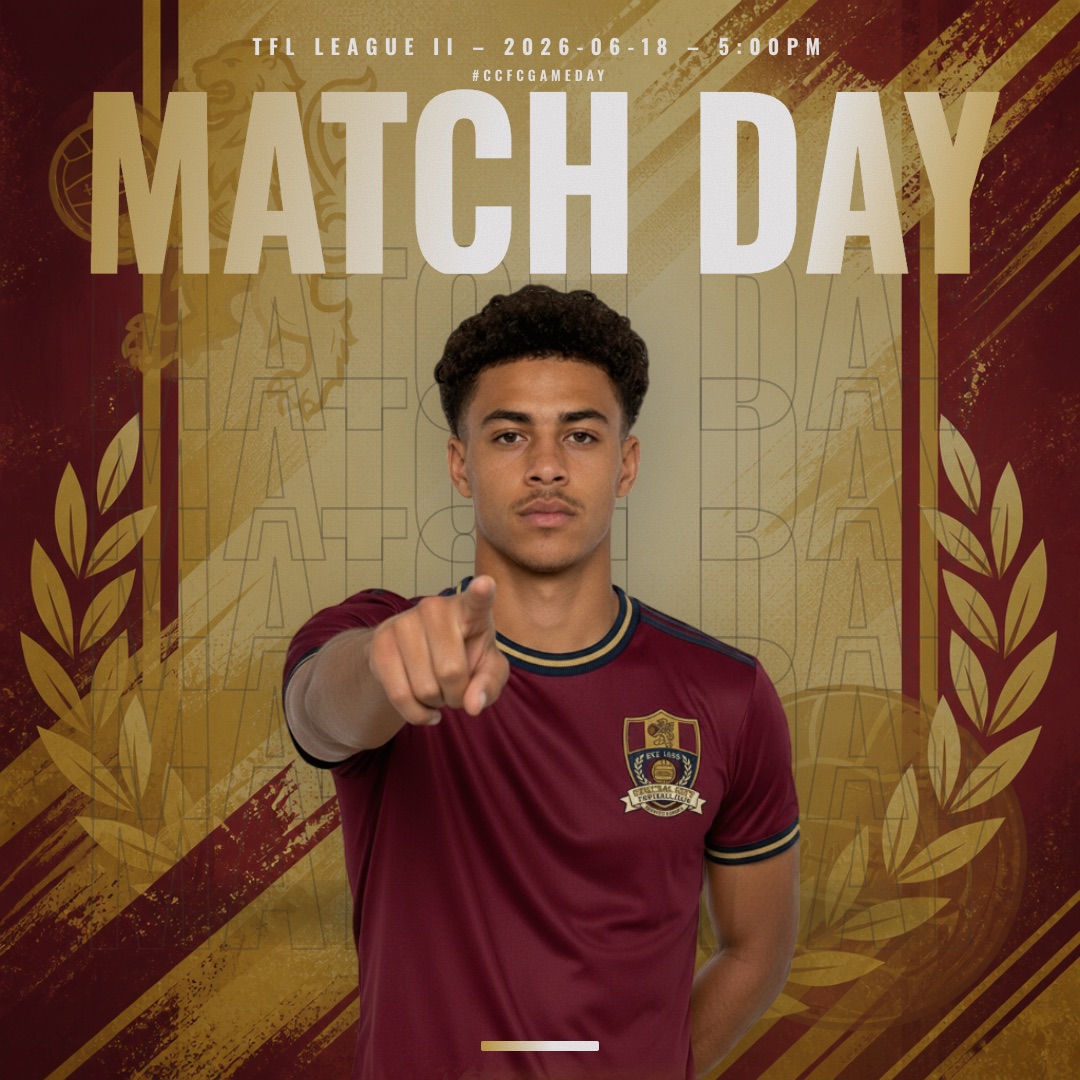
Next Up is the one built for fixture announcements: a broadcast-style board with your crest against the opponent’s, plus kickoff and venue. Spotlight puts the team front and centre for home games you want to hype, and Retro Print suits derbies, anniversaries and anything with a bit of history. Browse the rest in the matchday graphic templates.
The weekly next fixture graphic: where the season’s work really is
Fixture release day happens once. The next-match post happens before every single game, and it’s the post that actually gets people to the ground. A simple rhythm that works at any level:
| When | Post | Format |
|---|---|---|
| Midweek (big games only) | Early heads-up for a derby or cup tie | Feed 1:1 |
| Day before | Next-match graphic | Feed 1:1 + story 9:16 |
| Matchday morning | “Today” reminder in the same design | Story 9:16, animated MP4 |
| Kickoff −1h | Starting lineup | Feed 1:1; animated MP4 to story |
Using the same design every week is a strength, not laziness: fans learn to recognise your fixture post before they’ve read a word. For the rest of the matchday cycle, see our guide to matchday graphics, and for fresh angles on the same post, these matchday graphic ideas.
Fixture announcement graphic sizes
- Feed and carousels: 1080×1080 (1:1). Square works across Instagram, Facebook and X, and matching sizes keep a carousel tidy.
- Stories and Reels: 1080×1920 (9:16). Make a proper vertical version rather than dropping the square into a story with dead space.
- Video: an animated MP4 of the fixture graphic for stories, Reels and TikTok, where a still image is easy to tap past.
- The thumbnail test: shrink it on your phone. If the date and kickoff aren’t readable, make them bigger.
Postponements, rearranged fixtures and cup draws
Fixtures change: waterlogged pitches, cup runs, referee shortages. How you handle it says as much about the club as the release did.
- Postponed: post the news as soon as it’s confirmed, in the same visual style as your fixture posts. A clear message beats silence while fans are already on their way to the ground.
- Rearranged: when the new date is set, post a fresh next-match graphic with the new date and kickoff, and say “rearranged” in the caption so nobody mistakes it for the original.
- Cup draws: share the tie the moment the draw is made, then the full fixture graphic once the date and kickoff are confirmed.
- Keep the pinned list honest: update your pinned fixture list and story highlight whenever something moves, and label it “updated” with the date.
Fixture announcement post captions
The graphic carries the facts, so the caption can carry the mood. A few starting points to adapt:
- “The 2026–27 fixtures are here. Circle the derby, sort the lifts, and we’ll see you at [Ground].”
- “Opening day: [Opponent] at home, [Day] [Time]. Free entry, bring everyone.”
- “Next up: [Opponent] away. Kickoff [Time] at [Ground]. Travel details in our story.”
- “Matchday. [Opponent] at [Ground], [Time] kickoff. Let’s make some noise.”
- “Cup tie confirmed: [Club] v [Opponent], [Day] [Time]. Subject to change.”
Tag the opposing club so their fans see it too, and keep hashtags to one or two. For a bank of lines to cover the whole season, see our football Instagram captions.
How to make a fixture graphic with SportGraphics
- Set up your club once: colours, crest, fonts and roster. It’s free, and it’s the only setup you’ll do all season.
- Enter the match details: the opponent’s name and crest, the date, kickoff time and venue.
- Pick a design: Next Up for a crest-v-crest fixture board, or Spotlight and Retro Print when you want a different mood.
- Export: a PNG or an animated MP4, at 1080×1080 for the feed and 1080×1920 for stories.
- On release day: repeat for each opening fixture and post them as a carousel, with a full-list slide from Canva if you want one.
- Every week after that: change the opponent, date and kickoff, export, post. Under a minute, from your phone if you’re on the move.
Why this beats rebuilding the graphic in a general tool every week: your branding never drifts, both crests land in the right place, and you get a video for stories without touching an animation timeline. SportGraphics is the only app in our comparison of the best football graphics apps where every design ships with a built-in animated MP4 version. Canva is still the right tool for the one-off season list, posters and print; we compared the two side by side in SportGraphics vs Canva. One thing to know: SportGraphics is soccer/football only today, with more sports planned.
The Free plan makes a watermarked Spotlight matchday graphic with no credit card (1 watermarked image export). Basic ($9/mo) unlocks Next Up, Retro Print and every other design with no watermark and 8 images + 8 videos every month. If you post every match moment as well as fixtures (lineups, goals, results), Pro ($15/mo) makes exports unlimited so you never have to count. See full pricing.
Frequently asked
For the weekly next-match graphic, SportGraphics. Save your club once and the Next Up design puts your crest against the opponent’s with kickoff and venue, in your colours, and exports as a PNG or an animated MP4 in feed and story sizes. It makes one graphic per match rather than a full-season list, so for a one-off list image a general tool like Canva is the better fit. Watermark-free plans start at $9/mo.
As soon as the league publishes them and you’ve checked every date against the official list. Tease the release the day before, post at the time you promised, then pin the post and save it to a story highlight. After that, post a next-match graphic before every game all season.
The opponent, the date (with the day of the week), kickoff time, the venue and whether it’s home or away, the competition, and both club crests. Add entry or ticket details if they matter for that game, usually in the caption.
Not as a single image. SportGraphics makes the per-match fixture graphic, one game per design, which is the post you’ll make every week. For release day, post your opening fixtures as a carousel of those graphics, and use a general design tool such as Canva for a full-list image if you want one.
1080×1080 (1:1) for feed posts and carousels on Instagram, Facebook and X, and 1080×1920 (9:16) for stories, Reels and TikTok. Keep every slide in a carousel the same size, and make a proper vertical version for stories rather than reposting the square.