Youth soccer team graphics used to mean a parent with Canva and a spare evening. The teams whose posts get shared do four things: they post the same four moments every game (game day, lineup, goals, final score), they keep the club’s crest and colours on everything, they get photo consent sorted once, and they set the team up in a tool that remembers the roster so a post takes a minute from the sideline. Here’s how to do all four, whether you manage one U12 team or every age group at the club.
Who this is for
The person who volunteered to run the team’s Instagram, the team manager who posts in the parents’ group chat, the assistant coach who wants the girls’ 2014s to look as good as the club’s first team, and the club manager or director of coaching who has eleven age groups posting eleven different ways. None of you have a media officer. All of you have a phone at the field.
The four posts every game needs
| Moment | What the post shows | When |
|---|---|---|
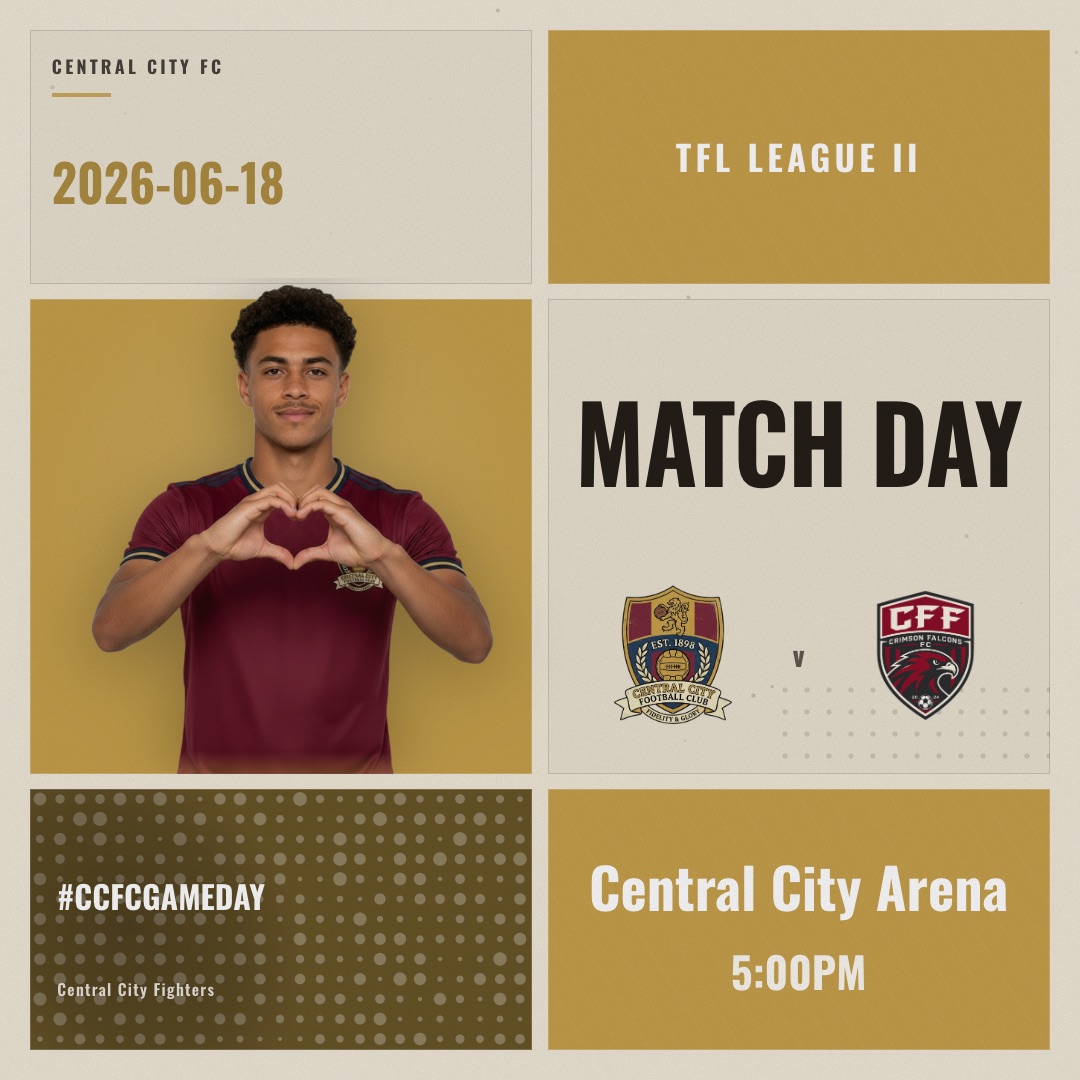
| Game day | Both crests, opponent, kick-off time, field or complex name | The night before, or first thing on game morning |
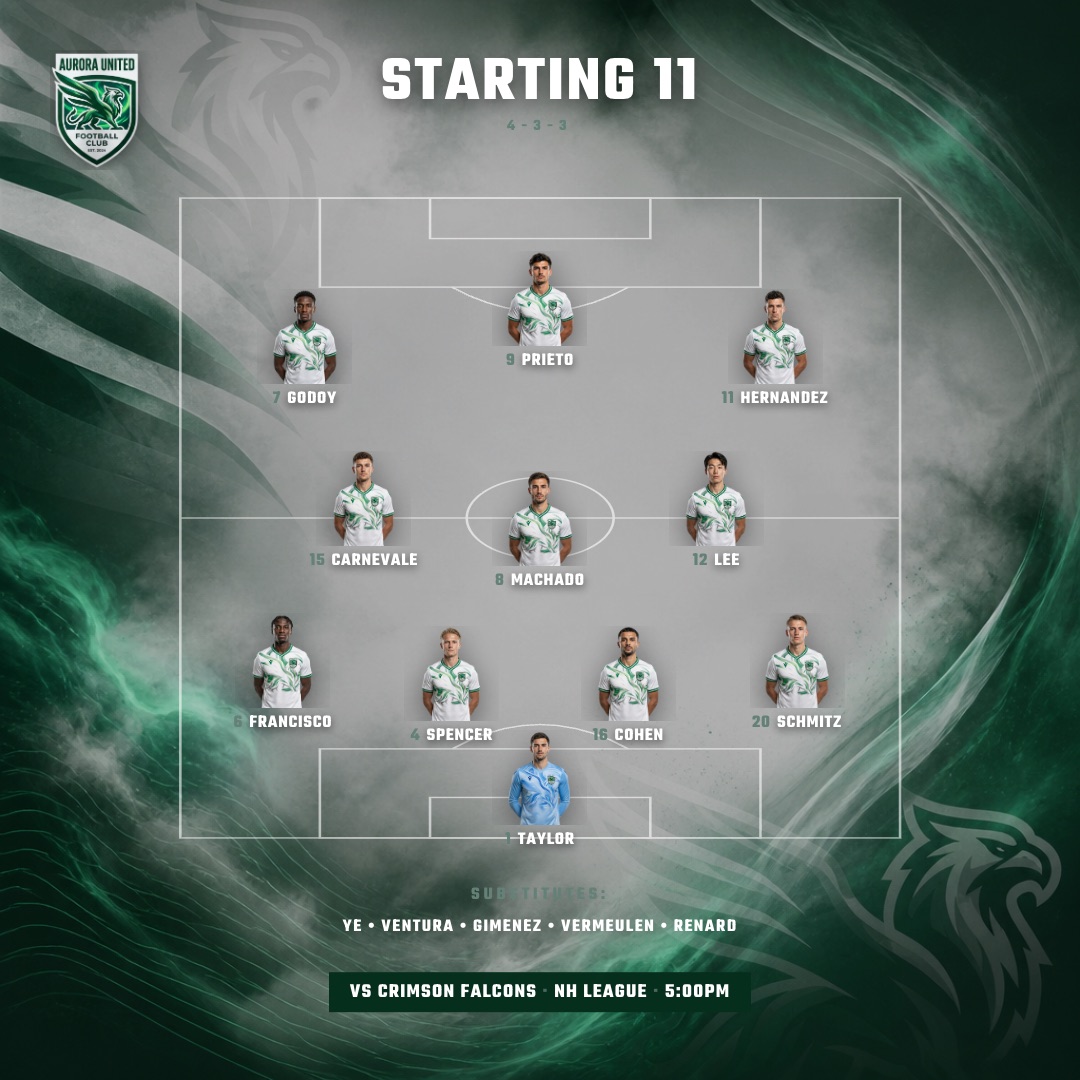
| Starting lineup | The eleven (or nine, or seven) with numbers and photos, formation optional | About an hour before kick-off, once the coach has named it |
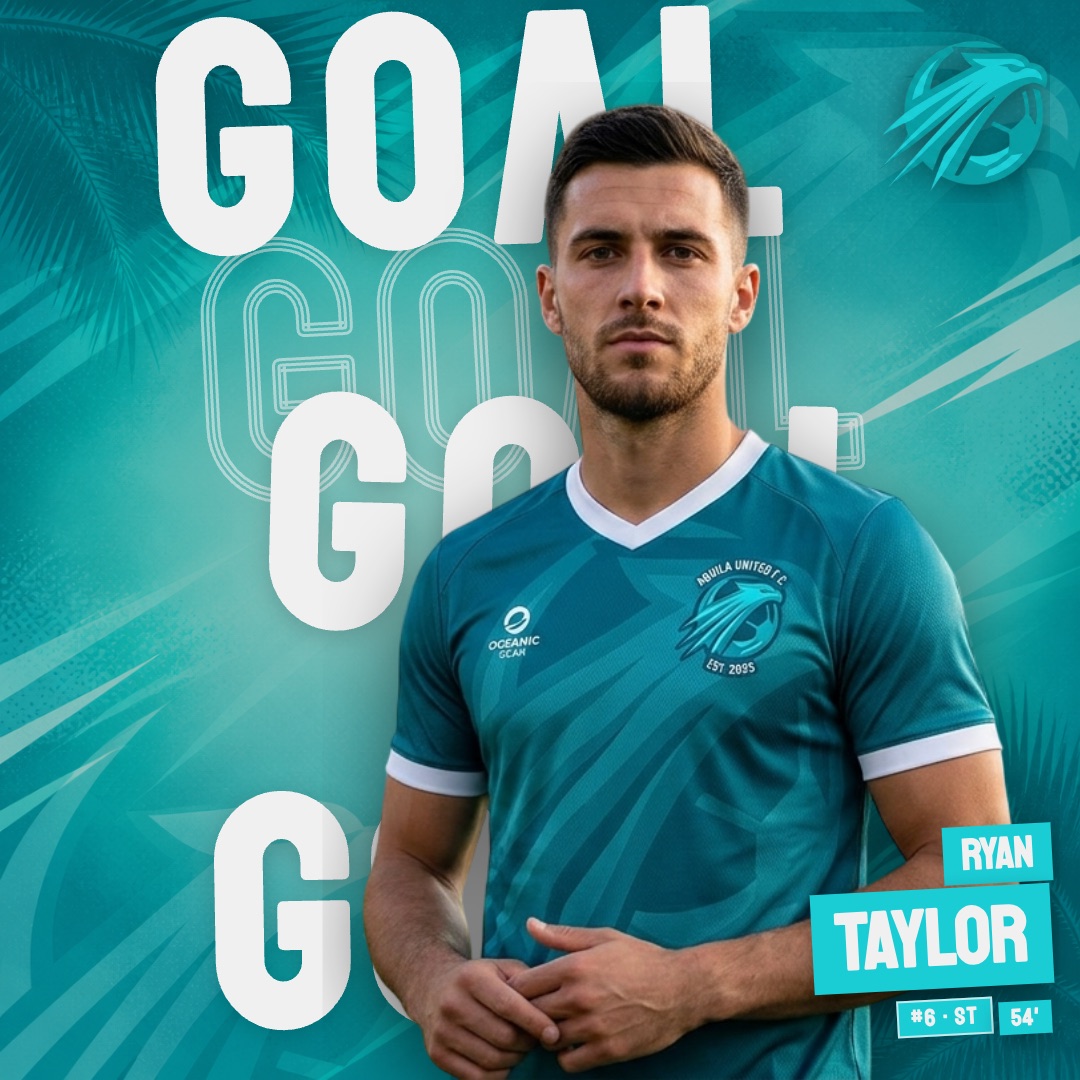
| Goal | Scorer, minute, running score | Within a minute of the goal, from the sideline |
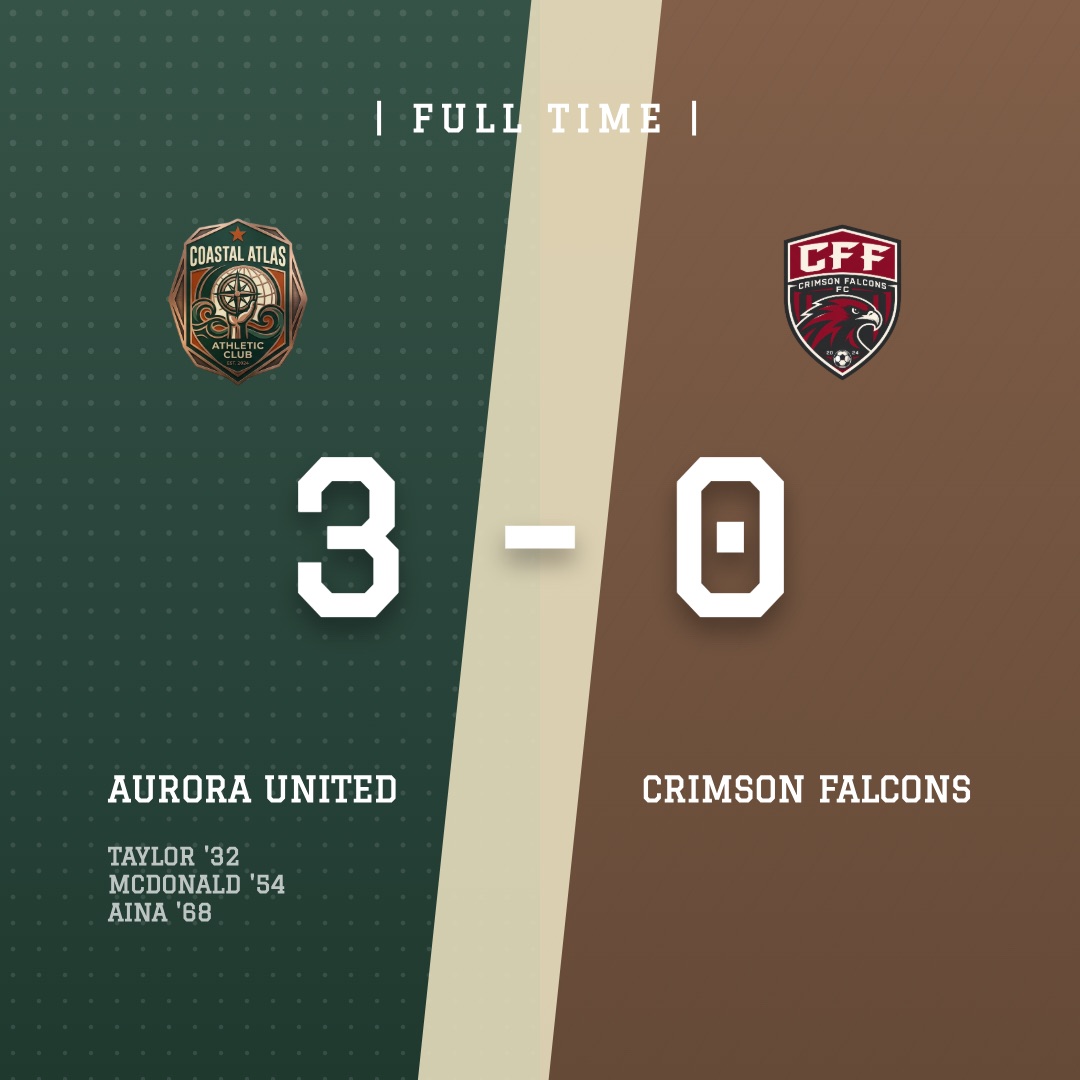
| Final score | Scoreline, scorers, a line for the next game | At the whistle, before the post-game snacks |
That’s it. Player of the match, training clips and award nights are welcome extras, but a team that posts those four moments every week looks like a club. Templates for each are on the matchday, lineup, goal and match result pages.
Photos of minors: sort consent once, then relax
This is the part most team managers worry about, and it’s simpler than it looks:
- Use the club’s consent form. Most clubs collect photo consent at registration. Ask the registrar what it covers (social media specifically, not just the club website) and get a list of any player whose parents opted out.
- First names or numbers only. “Ava, 9” on a lineup graphic is plenty. Skip surnames, schools and anything that places a child.
- Headshots beat action shots for graphics. One photo per player against the fence at the first training session, chest up, is all a lineup or goal graphic needs. SportGraphics removes the background automatically, so the fence disappears.
- Keep the opted-out players as name-only. A roster can hold a player without a photo; the designs handle it.
SportGraphics asks you to confirm you have the rights to every photo you upload, which is a useful nudge to have the consent conversation before the season, not after the first post.
Set the team up once
- Crest and colours. Upload the club crest; the exact colours are picked out of it for you. If the club has a brand guide, paste the hex codes in.
- Roster. Names, numbers, positions, one photo each. Fifteen minutes at the first training session covers a whole season.
- Fixtures. Add the schedule and the opponent’s crest once; the game-day and result graphics fill themselves in each week.
- Post from the field. Open the team on your phone, tap the moment, tap the player, export. Square for the feed, 9:16 for stories, still image or animated video.
Club managers: every age group under one account
The thing that makes a youth club look amateur is eleven teams posting eleven different ways. On SportGraphics Pro one club account holds up to 20 teams, each with its own roster and fixtures under the same crest and colours. A club manager sets the club up once and hands each team manager the same designs; the U11s and the U15s post like the same club, and when a volunteer moves on the team’s roster and photos stay with the club rather than leaving in someone’s camera roll.
Tournament weekends
Three games on a Saturday is where a template pack falls apart and a set-up-once tool earns its keep. Add the three fixtures the night before, post a game-day graphic for the first game in the morning, then a final score after each game and a game-day for the next one from the parking lot. Parents share final scores more than anything else you’ll post all season, so make those the priority when time is short.
Designs that work for youth teams
Youth graphics want big faces and clear numbers, and nothing that needs a professional action photo. Four that team managers reach for:
What it costs a team
Free makes one watermarked image a month for one player, enough to see your crest and colours on a real design. Basic ($9/mo) holds an 11-player roster with 8 image and 8 video exports a month and no watermark. Pro ($15/mo, or $150/yr if the team’s budget prefers one payment) holds 18 players, unlimited exports, the team sponsor’s logo on every post, and multiple teams under one club. Most full youth rosters land on Pro; it goes on the team manager’s card with no club approval, and the team fund or a sponsor covers it. See plans and pricing.
Frequently asked questions
What should a youth soccer team post on game day?
Four posts cover a game: a game-day graphic the night before or that morning (opponent, kick-off, field), the starting lineup an hour before kick-off, a goal graphic for each goal, and the final score at the whistle. Tournament weekends repeat the game-day and final-score posts for each game. Everything else (training, awards, a player of the match) is a bonus.
Can I use photos of the kids in team graphics?
Only with the parents' permission. Most clubs collect a photo consent form at registration; check what yours covers, keep a note of any player whose parents opted out, and use first names or shirt numbers rather than full names for minors. SportGraphics asks you to confirm you have the rights to every photo you upload.
How do I make a lineup graphic for a youth soccer team?
Add the roster once (names, numbers, positions, and a photo for each player), then pick a lineup design, tap the starters and export. SportGraphics removes the background from a phone photo automatically, so a headshot taken against the fence works. The graphic exports as a square image for the feed and a 9:16 version for stories, as a still or an animated video.
Can one account run every team at the club?
Yes on Pro: one club account holds up to 20 teams, each with its own roster and fixtures under the same crest and colours, so a club manager or director of coaching can give every age group the same graphics without a separate login for each. Free and Basic run one team.
How much does it cost for a youth team?
Free makes one watermarked image a month for one player. Basic ($9/mo) holds an 11-player roster with 8 image and 8 video exports a month and no watermark. Pro ($15/mo or $150/yr) holds 18 players, unlimited exports, sponsor logos and multiple teams, which is what most full youth rosters and club managers need.
Running a school team instead? The high-school soccer page covers the booster-club angle, and the youth soccer teams page has the short version of this guide.