A player signing announcement works best as a short sequence: once the registration is confirmed, post one bold graphic with the player’s name, number, position and previous club, follow it with an animated version for Reels and stories, and tag the player so their network shares it. The fastest way to make an on-brand new signing graphic is SportGraphics, where signing designs fill themselves from your club profile.
Why a new signing announcement is worth doing properly
A signing is one of the few club updates that people outside your usual followers care about. Whether you run a Sunday league side or a college soccer program, a good signing post does three jobs at once:
- It reaches new people. The player’s friends, family, former teammates and old club’s followers see it, many of them discovering your club for the first time, because the player shares it.
- It welcomes the player. For a lot of grassroots players, a proper graphic with their name and number is the first time a club has made a fuss of them. That goodwill lasts well beyond the post.
- It signals ambition. Prospective players, parents and sponsors read a run of sharp signing posts as a club that’s organised and going somewhere.
The flip side: a blurry photo with a line of text says the opposite, and the player is far less likely to share it.
The signing announcement sequence, from teaser to first goal
Big clubs stretch a transfer across a week of content. You don’t need that, but a short, planned sequence gets far more out of one signing than a single post does:
- The teaser (optional). A cropped shirt number, a silhouette, or “Something’s coming at 6pm” the day before. Only tease a deal that’s done: a teaser for a signing that falls through is worse than no teaser.
- The reveal graphic. The main event. One bold new signing graphic with name, number, position, previous club and contract, posted to your feed and your story at the same time.
- The moving moment. An animated MP4 of the same design for Reels and TikTok, or a short phone clip of the player holding the shirt and saying hello to the fans.
- The first appearance. When they make the matchday squad, their name in the starting lineup graphic closes the loop for everyone who followed the signing.
- The first goal. The payoff. A player-first goal graphic with “first goal for the club” in the caption practically writes itself.
Steps four and five are the ones that usually get forgotten, and they’re what turn a one-day announcement into a story fans follow across the season.
What every new signing graphic needs
Whatever design you use, check these before you post:
| Element | Why it matters | Tip |
|---|---|---|
| Name | It’s what people search for, tag and share | Confirm the spelling with the player, not just the registration form |
| Shirt number | Fans attach a number to a player quickly | Check it isn’t still assigned to someone else in the squad |
| Position | Tells fans where they fit in | Keep it simple: “Striker”, not a list of three roles |
| Previous club | Context and a bit of credibility | For youth graduates, use the age group they’ve come up from |
| Contract or season | Shows commitment on both sides | “2026/27 season” works for clubs without contracts |
| Crest and club colours | Makes it unmistakably yours | Exact colours, identical on every signing |
| Player cutout | The photo is what stops the scroll | Well-lit phone photo, plain background, waist up |
Everything else, from tags and hashtags to the story of how the move happened, goes in the caption. A signing graphic should be readable in the second it takes someone to scroll past it.
New signing graphic templates
If you’re after a football signing announcement template, SportGraphics has three Player Signing designs. Each one fills itself from your club profile (colours, crest, fonts and the player from your roster) and each exports as a still image and an animated video:
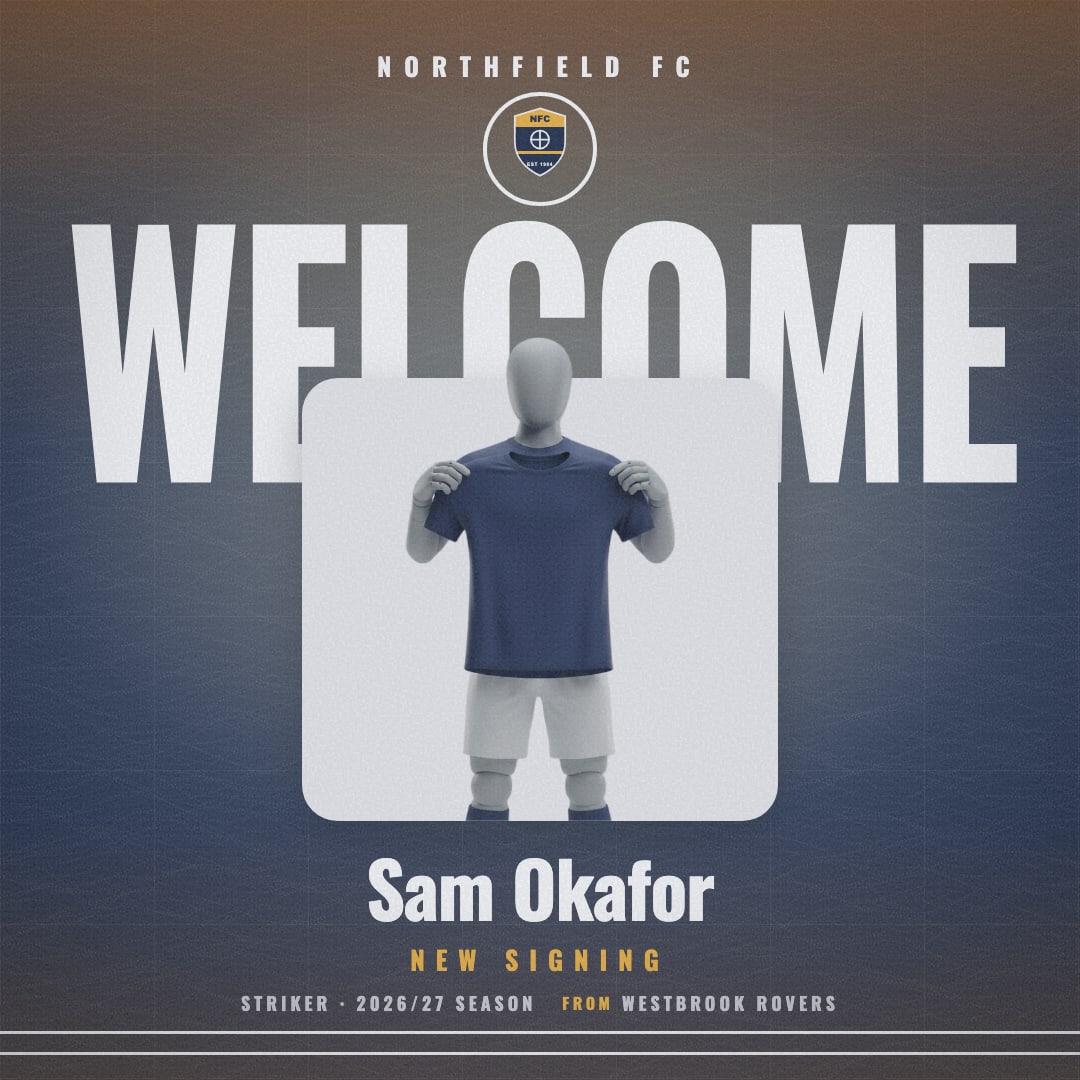
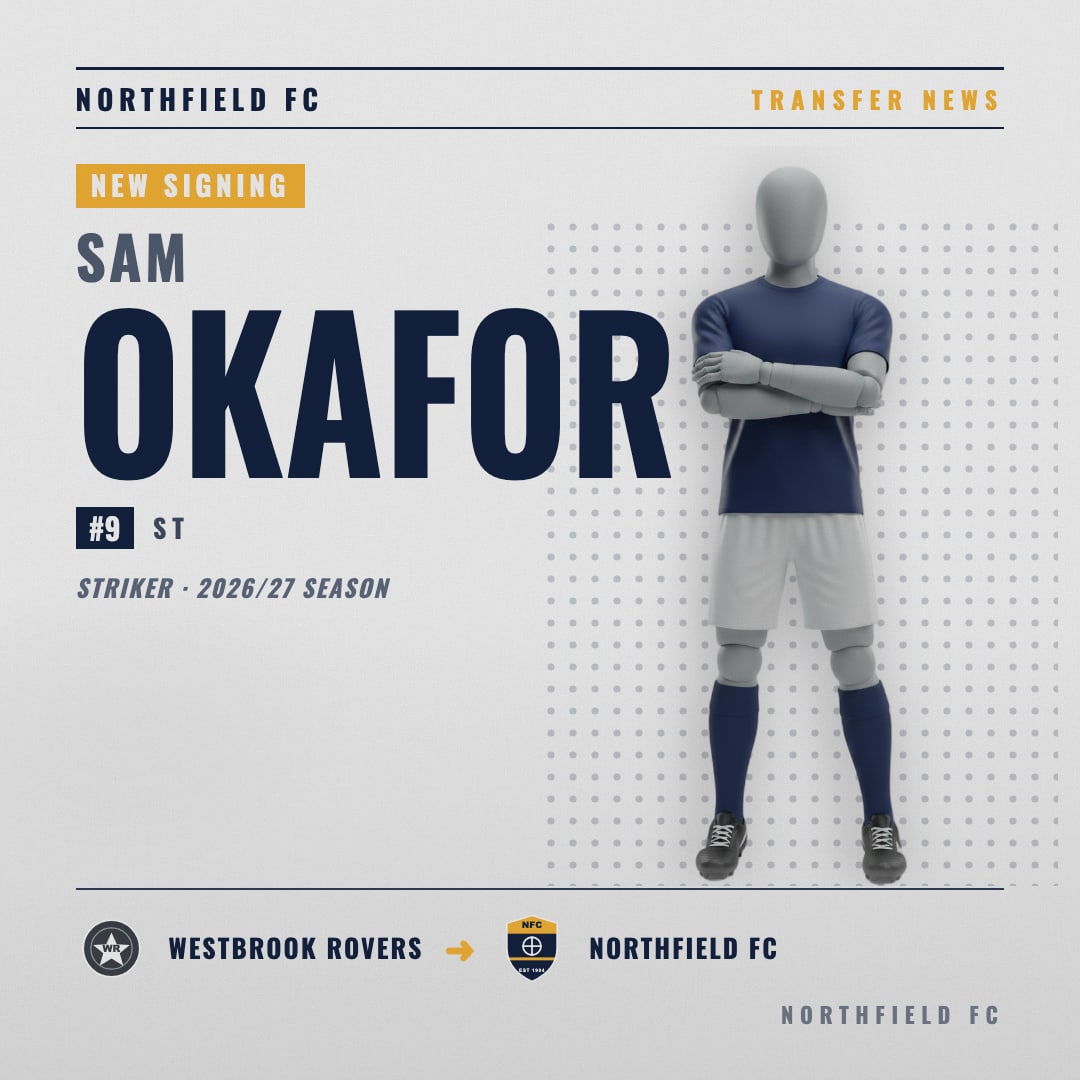
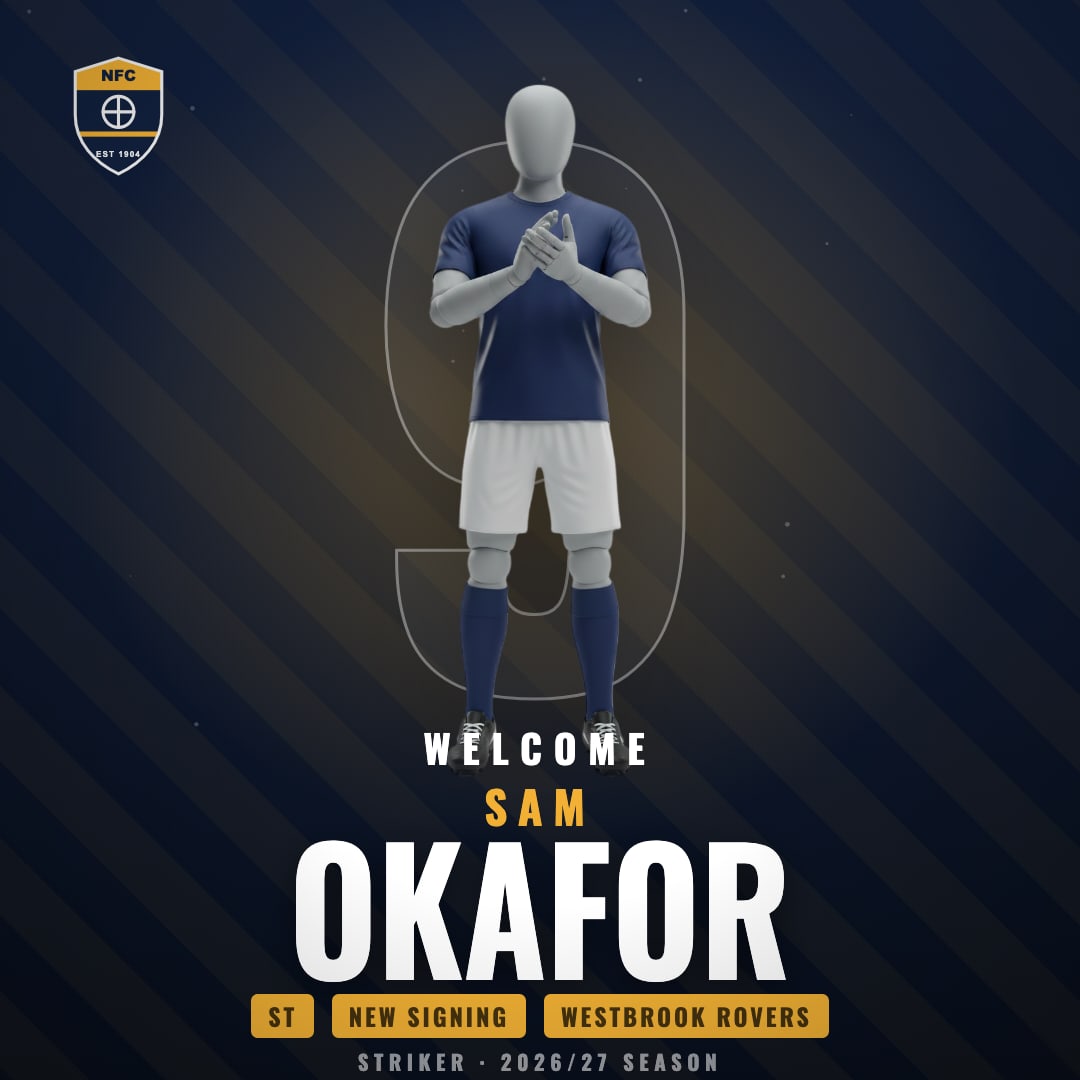
The previews use a demo club’s colours; yours fill in with your own. A rough guide to choosing: Welcome is the welcome-to-the-club graphic for a headline arrival you want to feel like an event, Back Page gives you the old-school transfer-news look, and Number Drop works when the shirt number is part of the story, such as a new number 9. Pick one as your club’s signing style and stick with it, so every arrival looks like part of the same series. You can watch all of them move in the animated design gallery.
When to post a player transfer announcement (and where)
Timing is the part clubs most often get wrong. A few rules that hold at any level:
- Post when the paperwork is done. That means the player’s registration is confirmed with your league, not just agreed on a handshake.
- Never during a match. Matchday belongs to the match. A signing posted at half-time gets buried under goals and results.
- Give each signing its own moment. Space arrivals out, ideally a day apart. On a busy registration-deadline day, a carousel of signings is fine.
- Agree the time with the player. If they share it within minutes, it reaches their network while it’s fresh. On Instagram, inviting them as a collaborator puts the post on both profiles.
- Don’t clash with your other big posts. A signing and your fixture release on the same morning just compete with each other.
| Where | What to post | Size |
|---|---|---|
| Instagram and Facebook feed | The reveal graphic, still or animated | 1080×1080 (1:1) |
| X | The reveal graphic, still or animated | 1080×1080 (1:1) |
| Stories | Animated MP4 with the player tagged | 1080×1920 (9:16) |
| Reels and TikTok | Animated MP4 or a short clip of the player | 1080×1920 (9:16) |
Grassroots signings: returning players, youth graduates and new coaches
At grassroots level, most new arrivals aren’t transfers at all. Each one still deserves a proper new player announcement, and the same format works for all of them:
- Returning players. A “welcome back” post lands well with fans who remember them. Mention their previous spell with you in the caption.
- Youth graduates stepping up. A player moving up from your U18s to the first team is a story about the whole club. Put the age group where the previous club would normally go.
- New managers and coaches. Same idea, different role: name, role, and where they’ve coached before.
If your club runs several sides, SportGraphics Pro supports up to 20 teams in one club, so the first team, reserves, women’s side and youth sides all share the club’s branding and every arrival looks like it belongs to the same club.
Signing announcement caption examples
Keep captions short, because the graphic has already done the talking. Swap in your own details:
- “Signed. [Name] joins from [Previous Club] for the 2026/27 season. Welcome to [Club].”
- “New number 9, same ambition. Welcome, [Name].”
- “From our U18s to the first team. [Name] has earned this one.”
- “Some players you just have to bring back. Welcome home, [Name].”
- “[Name] | [Position] | ex-[Previous Club]. The 2026/27 squad keeps growing.”
- “[Name] is here. Say hello to our newest [position] in the comments.”
Tag the player, tag their previous club if the move was on good terms, and put one or two club hashtags at the end rather than a wall of them. For more lines like these, see our football Instagram captions.
Mistakes that undermine a signing post
- A low-resolution or cluttered photo. A screenshot from the group chat won’t survive platform compression. Take a fresh, well-lit photo against a plain wall.
- Announcing before registration is confirmed. If the league hasn’t approved it, you may be announcing a player who can’t play for you yet, or at all.
- A different style for every signing. Three arrivals in three different templates look like three different clubs. Pick one design and keep it for the whole window.
- Forgetting to tag the player. Their share is how the post reaches beyond your own followers. Tag them and send them the files so they can post the story themselves.
- Wrong details. A misspelled name or the wrong number is the one error the player will definitely notice. Check both before you export.
How to make a new signing graphic with SportGraphics
SportGraphics is built so the club is set up once and every graphic after that fills itself. For a signing, the whole job looks like this:
- Set up your club once: colours, crest, fonts and your roster. It’s a one-time job, and it’s free.
- Add the new player to your roster: name, number and a photo. Automatic background removal turns an ordinary phone photo into a clean cutout, on every plan.
- Open Player Signing and pick them: choose the player from your roster, then add their position, previous club and contract details.
- Choose a design: Welcome, Back Page or Number Drop. Your colours, crest and fonts are already in place.
- Export both sizes: a PNG and an animated MP4, 1:1 for the feed and 9:16 for stories, Reels and TikTok.
- Fine-tune if you want to: the Canva-style manual editor adjusts any design, and sponsor logos can sit on every graphic if a sponsor backs your new-season announcements.
The part that keeps paying off: once the player is in your roster, their name, number and cutout are ready for every Tactical Board lineup and goal graphic from their first game onwards, right up to the day they make the scorers list on your full-time result. No hunting for the photo again.
Why not Canva or a designer?
A designer can make a stunning one-off signing graphic, but few clubs can pay one for every arrival, and a busy window means waiting in a queue. In Canva you can build a decent template, but every signing means cutting out the photo, swapping the name, number and previous club, and animating it yourself if you want a video. That’s manageable for one signing a season. For a summer of arrivals, followed by the lineups and goals they appear in, a tool that already knows your roster wins. Canva is still the right tool for one-off posters, print and sponsor decks; we compared the two honestly in SportGraphics vs Canva.
Player Signing is part of Pro at $15/mo (or $150/yr), alongside unlimited image and video exports, AI backgrounds and player poses, custom backgrounds and every other event type. Basic ($9/mo) covers the five matchday event types, so it handles the first lineup and the first goal but not the signing itself. Compare the plans to see which fits your club.
Frequently asked
For football clubs, SportGraphics is the strongest option. Its Player Signing designs (Welcome, Back Page and Number Drop) fill themselves with your club’s colours, crest and fonts, take the player straight from your roster with a clean background-removed cutout, and export as a PNG and an animated MP4 in feed and story sizes. Signing graphics are part of the Pro plan at $15/mo. It’s soccer/football only today, with more sports planned, and Canva is still a good choice for one-off posters and print.
The player’s name, shirt number and position, the club they’ve joined from, the contract or season (for example “2026/27 season” or “two-year deal”), your crest and club colours, and a clean cutout photo of the player. Tags, hashtags and the story of the move belong in the caption, not on the graphic.
Once the player’s registration is confirmed with your league and the player knows the post is coming. Avoid posting during a match or on top of another big club announcement, and agree the time with the player so they can share it straight away.
No. Player Signing is a Pro event type ($15/mo or $150/yr), and Pro also makes image and video exports unlimited. The free plan makes watermarked goal and matchday graphics for one player (1 watermarked image export, no credit card), which is a good way to check how your club looks in real designs first. Automatic background removal for player photos is included on every plan.
1080×1080 (1:1) for the feed post on Instagram, Facebook and X, and 1080×1920 (9:16) for stories, Reels and TikTok. Make both sizes, and use an animated MP4 version for the vertical formats.